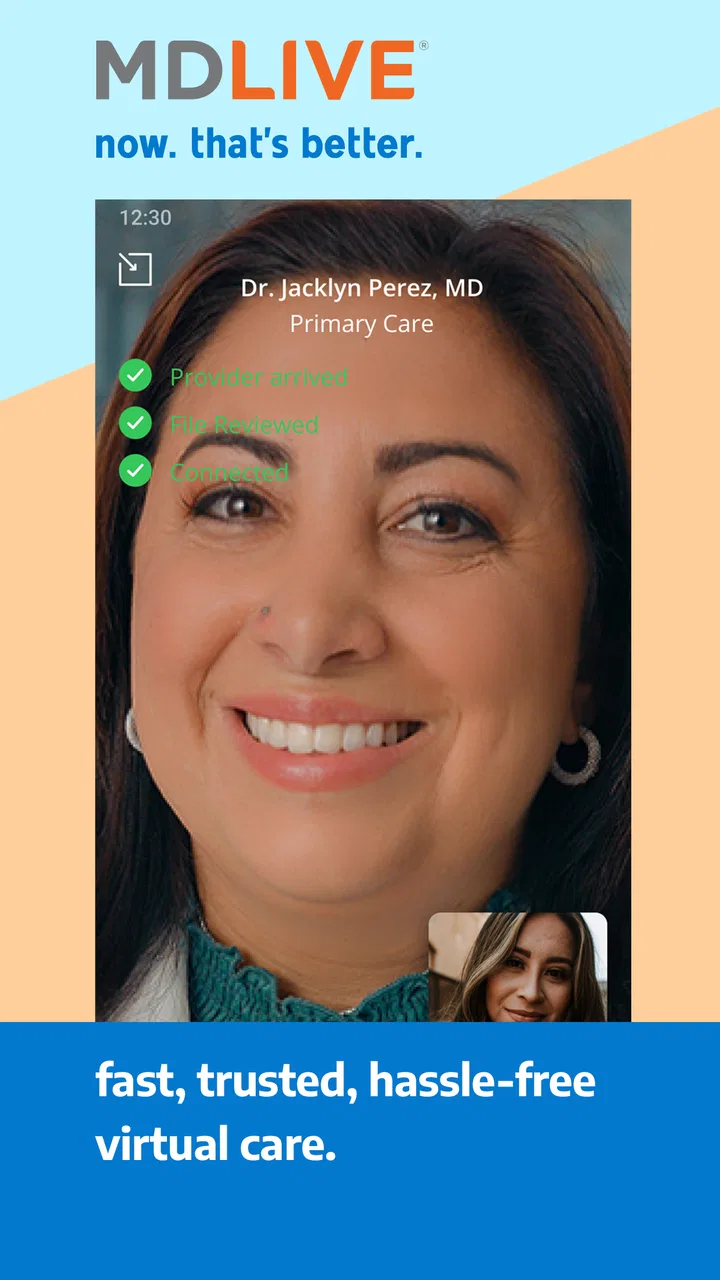
MDLIVE: Talk to a Doctor 24/7
- 4.6
- Rating
- 1.00M
- Installs
- Free
- Price

 Analysis by App-foxy
When I need medical guidance but do not want to turn a small problem into an entire day of waiting, MDLIVE: Talk to a Doctor 24/7 is the kind of app I keep in mind. It is a free medical app from MDLIVE Inc that puts a doctor conversation inside a familiar phone workflow. The central idea is simple: instead of beginning with a trip to a clinic for every non-emergency concern, I can use the app to start the process of speaking with a healthcare professional.
That convenience is the main reason to consider it, but it is not a replacement for every form of care. In my experience, the app makes the most sense when the issue is suitable for a remote conversation and I want to avoid unnecessary travel or a long wait in a general practice office. It is much less appropriate when I need a physical examination, urgent intervention, testing, or emergency treatment.
How the basic MDLIVE workflow feels in everyday use
The first useful habit is to treat the app as a guided access point to care rather than as a medical encyclopedia. I would not open it expecting to diagnose myself from a list of symptoms. I would open it because I want to explain what is happening to a doctor, answer questions, and find out what the next sensible step should be.
You May Also Like

 Blood Strike: 2.5 Anniversary
Blood Strike’s Loadouts Turn Every Drop Into a Tactical Gamble
A close look at Blood Strike’s custom loadouts: how fast access to signature weapons reshapes its battle royale rhythm, rewards preparation, and narrows the gap between fights.

 Pandora - Music & Podcasts
Pandora’s Music Is Easy to Start, but Harder to Recover
Pandora’s strength is its low-effort path from a seed to a station. Its weak spot is how much confidence it asks you to place in connection, setup, and quiet recovery.

 8 Ball Pool
 Is Built on Rivalries, Rematches, and Routine
A close look at the rivalries, rematches, shared routines, and unanswered safety questions that turn a quick pool match into a persistent mobile community.

 Samsung Music
’s Quiet Strength Is Playing What You Already Own
Its reach comes less from spectacle than from dependable access to a personal library. That simplicity is both the app’s strongest retention engine and its ceiling.

 AccuWeather: Weather Radar
AccuWeather Review: A Quick, Clear Forecast for Everyday Decisions
For everyday plans, the best forecast is the one you can understand quickly. AccuWeather makes rain timing, radar, and local conditions easy to act on, with a few trade-offs.

 Hill Climb Racing
Why Hill Climb Racing Still Turns Crashes Into One More Run
A tiny car, a bumpy hill and one more upgrade: Hill Climb Racing keeps resurfacing because its simple chaos makes every near-miss feel personal.
More From Our News Desk
View All News


The usual starting point is to open the app, identify the type of help needed, and follow the prompts toward a consultation. The experience is designed to reduce the number of decisions I have to make before reaching a clinician. That matters when I am tired, uncomfortable, or trying to arrange care between work and family responsibilities.
A realistic example would be waking up with a minor illness before a busy workday. Rather than immediately driving to a clinic, I could use MDLIVE to describe the symptoms and discuss whether home care, a prescription, an in-person visit, or further evaluation is more appropriate. The important value is not that the phone magically solves the problem; it is that a conversation can help me choose the right level of care.
I recommend preparing before starting the consultation. I keep a short note with when the symptoms began, whether they are getting better or worse, what I have already tried, and any medicines or allergies that may matter. This is a small step, but it makes a remote appointment more productive. A doctor cannot examine everything through a screen, so clear history becomes especially important.
The app is also easier to use when I separate routine questions from emergencies. A sudden, severe, or potentially life-threatening problem should not be delayed while I navigate a mobile consultation. For those situations, emergency services or an emergency department are the appropriate choice. MDLIVE is better suited to concerns that can reasonably begin with a remote assessment.
One practical advantage is that the conversation can happen where I am, which is useful for people who have transportation difficulties, limited time, or trouble getting a same-day appointment. Parents and caregivers may also appreciate being able to organize information before speaking with a clinician. Still, convenience should not encourage me to minimize symptoms that clearly need hands-on attention.
What I would prepare before contacting a doctor
I find that the best results come from making the consultation easy to follow. I would write down the main concern in one sentence, then add the details that change the clinical picture: timing, severity, triggers, recent exposures, and anything that makes the problem better or worse. If the issue involves a visible change, I would be ready to describe it accurately rather than relying on vague words such as “bad” or “strange.”
I would also keep my current medication information nearby. Even when the app handles the connection smoothly, the quality of the consultation depends on the information I provide. A fast appointment with incomplete details can be less useful than a slightly slower, well-prepared conversation.
Another good habit is to keep the outcome of the consultation in mind. I might need to know whether I should monitor the issue, arrange in-person care, ask about treatment, or seek urgent help if a particular warning sign appears. Asking that directly helps turn a general conversation into a practical plan.
Settings and habits that make the app easier to use
I would check the app’s account and notification settings before I actually need care. The goal is not to change everything, but to make sure the contact details and alerts used by the app are current. A medical app becomes frustrating when an old phone number, outdated email address, or missed notification interrupts an appointment workflow.
I also prefer reviewing the device permissions and notification behavior that affect communication. I do not assume that every phone handles alerts in the same way. Battery-saving modes, muted notifications, or system-level restrictions can interfere with time-sensitive messages. Checking these basics in advance is more useful than discovering the problem after requesting a consultation.
The app supports a straightforward experience, but I would still pay attention to how it presents account, appointment, and consultation information. Medical conversations involve personal details, so I use a private device and avoid discussing sensitive matters where other people can overhear. The app itself is only one part of sensible privacy practice; the surrounding environment matters too.
One overlooked setting-related habit is keeping the application updated when practical. MDLIVE is listed at version 6.7.2.0 and works on devices running Android 8.0 or later. That makes compatibility worth checking before relying on it, especially if I am using an older phone. An app that cannot run properly on my device is not a useful backup plan, no matter how convenient the service sounds.
The age rating is Everyone, which reflects the broad accessibility of the application, not the idea that every medical situation is suitable for a remote appointment. I still make the decision based on the seriousness and nature of the problem. A general audience rating should never be confused with a clinical recommendation.
I would also avoid treating the app as a place to store every health detail casually. I enter what is needed for the consultation and read the prompts carefully. This keeps the process focused and reduces the chance of overlooking the main issue in a long, unfocused explanation.
Small preparation choices that save time
My preferred routine is to keep the phone charged, use a stable connection, and find a quiet place before beginning. These are ordinary steps, but remote care depends on communication. If the audio is difficult to hear or the conversation keeps breaking up, the convenience advantage disappears quickly.
I also keep a pen or note-taking app ready. During a medical conversation, it is easy to remember the diagnosis discussion but forget instructions about monitoring symptoms or arranging follow-up care. Writing down the plan while it is fresh gives me something to review later instead of relying on memory.
For recurring health concerns, I find it useful to maintain a simple personal timeline outside the app. I can record dates, symptoms, and questions between consultations. That does not turn the phone into a medical record, but it helps me give a clinician a clearer account when the same issue returns.
Faster patterns for repeat users
Experienced use of MDLIVE is less about discovering secret functions and more about building a repeatable sequence. I open the app with a clear reason, prepare the relevant information, review the available prompts carefully, and keep the consultation focused. This removes hesitation without pretending that medical care can be reduced to a shortcut.
For a familiar, non-urgent problem, I might prepare the same checklist every time: symptom start, recent changes, current medicines, allergies, previous advice, and the question I most need answered. This is especially helpful when I am speaking on behalf of a family member, because it prevents me from forgetting important context under pressure.
Another efficient pattern is deciding what I will do if the remote consultation is not enough. I might identify a nearby clinic, laboratory, or primary care office in advance, depending on the issue. That way, the MDLIVE conversation becomes the first step in a broader plan rather than a dead end if the doctor recommends hands-on evaluation.
I would not repeatedly restart consultations simply because the first answer is inconvenient. If the clinician recommends in-person care, that recommendation is part of the value of the service. The app is doing its job when it helps me recognize the boundary of remote care, not only when it allows me to stay at home.
The app can also fit well into after-hours decision-making. If a concern appears outside my normal clinic routine, I can use it to seek professional guidance instead of relying only on internet searches. That distinction matters: search results may provide possibilities, while a consultation gives me an opportunity to explain my specific situation and ask follow-up questions.
At the same time, I would compare it with my usual alternatives. A primary care doctor is often better for continuity, long-term conditions, preventive care, and a complete history. An urgent care center is better when examination or testing may be needed quickly. A pharmacist can be a practical source of advice for certain medication questions. Emergency services are the right choice for severe or dangerous symptoms. MDLIVE occupies the useful middle ground between self-research and a physical visit, but it does not replace those options.
Who gets the most value from this routine
I think the strongest fit is someone who wants a convenient first conversation with a doctor for a problem that may be assessed remotely. People with crowded schedules, limited mobility, or difficulty reaching a clinic may find the format particularly appealing. It can also be useful for someone who wants guidance before deciding whether an in-person appointment is necessary.
The weaker fit is someone who expects the app to provide a complete examination, immediate testing, ongoing specialist coordination, or guaranteed resolution in one interaction. Those needs usually point toward a clinic, a regular physician, or a more direct medical service. The app should be judged as a remote access tool, not as a universal replacement for healthcare.
Where the convenience stops
The biggest limitation is inherent to phone-based care: the doctor has less direct information than they would during an in-person examination. Some complaints depend on touch, visual assessment under proper conditions, vital signs, imaging, or laboratory work. In those cases, a remote conversation may still help with triage, but it may not be the final step.
There is also a communication trade-off. I can explain symptoms clearly, but I cannot assume that a description fully replaces examination. If I am unsure whether something is serious, I should say so plainly and ask what warning signs would require escalation. That makes the consultation safer and more useful than trying to steer it toward the answer I hope to hear.
Another limitation is that convenience can create false confidence. A polished app experience may feel reassuring, but the technology does not make a minor symptom harmless. I still need to follow the clinician’s advice and pay attention to changes afterward. If the condition worsens or new warning signs appear, I should seek the appropriate level of care rather than opening the app repeatedly.
Remote access can also be less satisfying for people who value an established relationship with one primary doctor. A regular clinician knows my history in a way that a single consultation may not. For chronic or complicated conditions, I would use MDLIVE as a supplementary option only when it fits the care plan, not as my sole source of medical guidance.
The app’s free price makes trying it less intimidating, and its broad adoption suggests that many people find the concept useful. It has an average rating of 4.6 from around 17 thousand ratings, with more than 1 million installs. Those figures indicate strong interest and generally positive reception, but they do not guarantee that every consultation will match my expectations. Medical needs, availability, communication quality, and the suitability of the issue can all affect the experience.
I also keep expectations realistic about speed. The app is built around making access convenient, but “fast” does not mean that every issue receives an instant answer or that every requested outcome is possible remotely. A clinician may need more information, recommend another setting, or decide that a prescription or diagnosis would be inappropriate without an examination. That professional caution is a limitation from the user’s perspective, but it is also necessary.
When I would choose something else
I would choose emergency care for severe breathing trouble, chest pain, signs of a stroke, serious injury, or another situation that could deteriorate quickly. I would choose an in-person clinic when the problem clearly requires examination, testing, a procedure, or treatment that cannot be delivered remotely. I would choose my established doctor when continuity and a detailed medical history matter more than speed.
I would also avoid using the app as my first response to a mental or physical crisis that feels immediately dangerous. In that situation, direct emergency assistance is more appropriate than waiting for an app-based consultation. No mobile workflow should become a reason to delay urgent help.
For simple health education, reputable public health resources may be enough. For medication questions, a pharmacist may sometimes provide a faster and more focused answer. MDLIVE is most valuable when I genuinely need to speak with a doctor and want a convenient route to that conversation.
My verdict after building a practical routine
MDLIVE: Talk to a Doctor 24/7 is a useful medical app when I use it with the right expectations. Its real strength is the combination of accessibility and structure: I can begin seeking professional guidance without automatically arranging a trip to a clinic. The free download, Everyone rating, and support for Android 8.0 or later make it approachable for a wide range of users, while the developer, MDLIVE Inc, gives the product a clear healthcare focus.
I would recommend it to a friend who wants a convenient remote consultation option for suitable, non-emergency concerns. I would tell that friend to prepare symptoms and medication details, check notifications and device compatibility, use a private and reliable setup, and keep an alternative care plan available if an examination becomes necessary.
I would not recommend relying on it for emergencies, complex ongoing care, or any situation where remote communication cannot answer the important clinical questions. The app is not at its best when it is asked to replace a doctor who knows the patient well or a facility equipped to examine and test them.
My final judgment is positive but practical: the best way to use MDLIVE is as a smart first step, not as the entire healthcare journey. Once I understand that boundary, the app becomes more useful. It can save time, reduce uncertainty, and help me choose the next step, while still leaving room for primary care, urgent care, emergency services, and other professionals when those options are the better fit.
FAQs for MDLIVE: Talk to a Doctor 24/7
01What services does MDLIVE offer?
MDLIVE provides 24/7 access to board-certified doctors and licensed therapists via phone, video, or app. Services include treatment for urgent medical conditions, behavioral health support, and dermatology consultations. This means you can address common health issues like allergies, infections, and anxiety without needing to visit a clinic in person.
02How secure is my personal information with MDLIVE?
MDLIVE takes privacy and security very seriously. They use industry-standard encryption and comply with HIPAA regulations to ensure your personal and medical information is protected. This means your consultations and data are kept confidential and secure against unauthorized access.
03Can MDLIVE replace my primary care physician?
While MDLIVE provides convenient access to medical professionals, it is not intended to replace your primary care physician. It serves as a supplement for urgent care needs when your regular doctor is unavailable. Continuous and comprehensive care should still be managed by your primary healthcare provider.
04Is MDLIVE covered by insurance?
Many insurance plans do cover MDLIVE services. It's important to check with your insurance provider to see if telemedicine services are included in your policy. Even if not covered, MDLIVE offers competitive pricing for consultations, making it an affordable option for many users.
05What devices are compatible with the MDLIVE app?
The MDLIVE app is available on both Android and iOS platforms, making it accessible on most smartphones and tablets. Ensure your device is updated with the latest operating system for the best performance. Additionally, a stable internet connection is required for video consultations.
Pros
- 24/7 access to doctors anytime
- anywhere.
- User-friendly interface enhances experience.
- Wide range of specialists available.
- Prescription services offered promptly.
- Accepts major insurance plans.
Cons
- Limited to video and phone consultations.
- Connectivity issues may affect sessions.
- Not all insurance plans are accepted.
- Some users face long wait times.
- Service availability may vary by state.

MDLIVE: Talk to a Doctor 24/7
Gallery